
Jeongja-sal
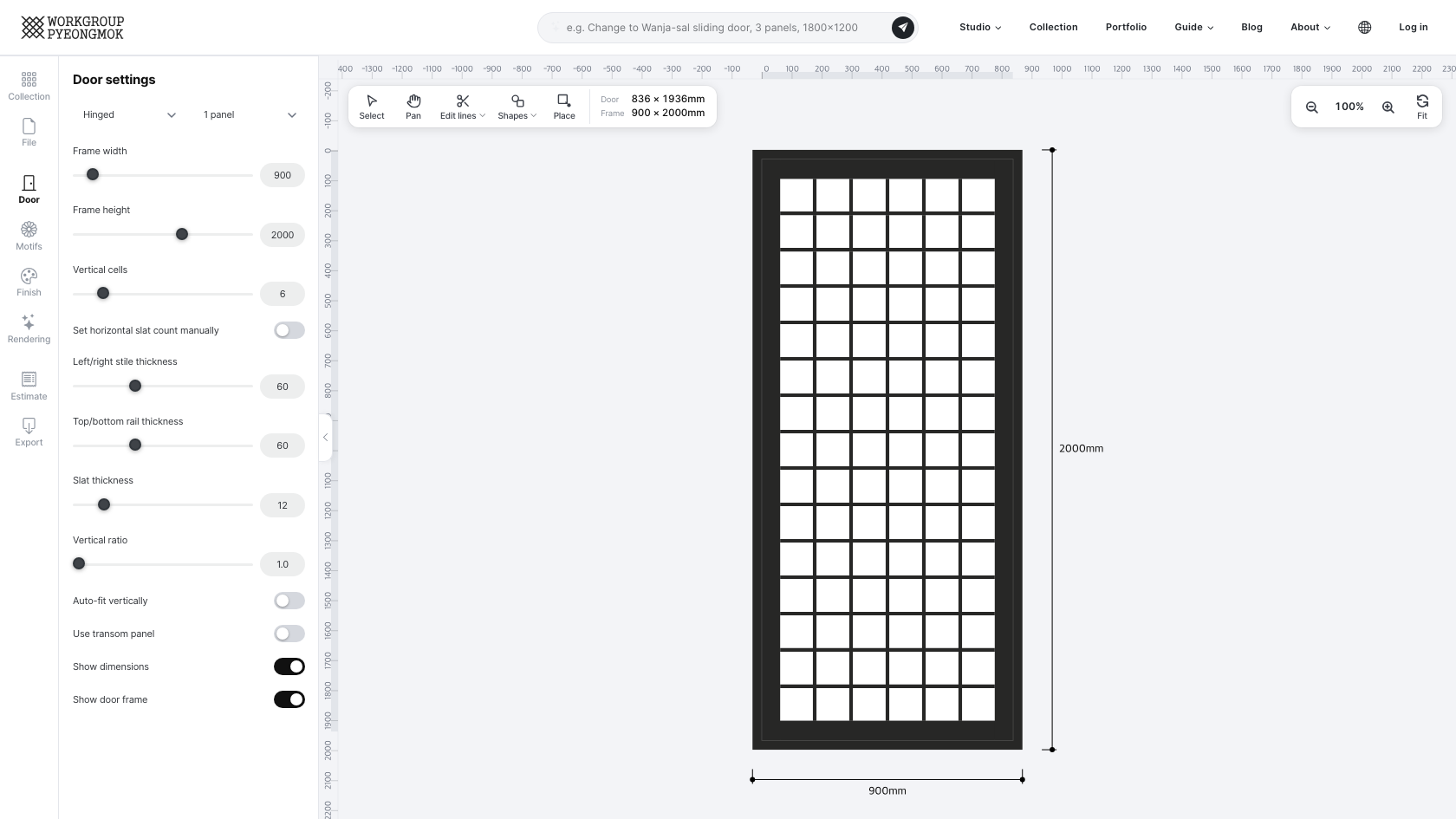
This engine recreates Jeongja-sal (井字箭), where both vertical and horizontal slats fill the frame completely to form a grid. The name comes from 井, the character for "well," which the grid resembles — an even, gapless grid is the face of this changho. Also called man-sal (滿箭), it was the second most common form after Se-sal. It shares most of its screen layout with Se-sal (the Drawing, Door, Motifs, Finish, Rendering, Estimate, Specs and Export tabs), but uses a single-ratio even grid instead of three top/middle/bottom zones.
How It Differs from Se-sal
| Jeongja-sal | Se-sal | |
|---|---|---|
| Zoning | One cell ratio applied across the whole grid | Split into top/middle/bottom, each with its own cell count and ratio |
| Vertical ratio range | 1.0 – 3.0 | 1.0 – 5.0 |
| Auto-fit frame height | Yes | No |
Door Tab — Main Parameters
| Item | Description |
|---|---|
| Hinged · Sliding / panels | Hinged 1–2 panels, sliding 1–4, 6 or 8 panels. As with Se-sal, frame thickness and clearance are applied automatically to calculate the real panel dimensions. |
| Frame width / height | Wall opening dimensions (width 100–10,000mm, height 400–5,000mm). The outer panel size is calculated with the frame thickness removed. |
| Vertical cells | 2–30. The number of cells (columns) dividing the panel width — the vertical slat count is cells − 1 |
| Set horizontal slat count manually | When checked, you set the horizontal slats directly with Horizontal slat count (1–60), and Vertical ratio and Auto-fit frame height are hidden. |
| Vertical ratio | 1.0–3.0. Sets each cell's width-to-height ratio, from which the horizontal slat count is derived automatically (when Set horizontal slat count manually is off). |
| Auto-fit frame height | When checked, the frame height is adjusted automatically so the last grid row meets the bottom rail exactly. |
| Left/right stile · top/bottom rail width | Outer frame width (mm) |
| Slat width | Cross-section width of the lattice slats (mm) |
| Use transom panel | Adds a transom panel zone at the top when checked; its height is set separately |
| Show dimensions / Show door frame | Choose whether measured dimensions and the frame outline appear on the canvas |
Specs Tab — Production Specification & Member List
The same items as Se-sal are calculated and displayed automatically: frame width and height, outer width and height, inner width and height, horizontal and vertical cells, horizontal and vertical ink lines, half-lap width, and vertical and horizontal stile groove widths. The member list is ordered as horizontal and vertical slats, frame members, the transom panel (if used), and the door frame. The surface area, weight & volume table below it works the same way as Se-sal — see the Se-sal guide for details.
Finish Tab
Choosing the wood, hardware and colors per part to colour (frame, stile & rail, slat, face) works the same as Se-sal. Pick Face as the part and you can click cells in the drawing to fill just those cells (Paint face color).
Example Uses
- Sliding changho in contemporary hanok
- Partition changho for cafés and commercial spaces
Try designing it yourself in the Jeongja-sal studio.
Open the Jeongja-sal engine